


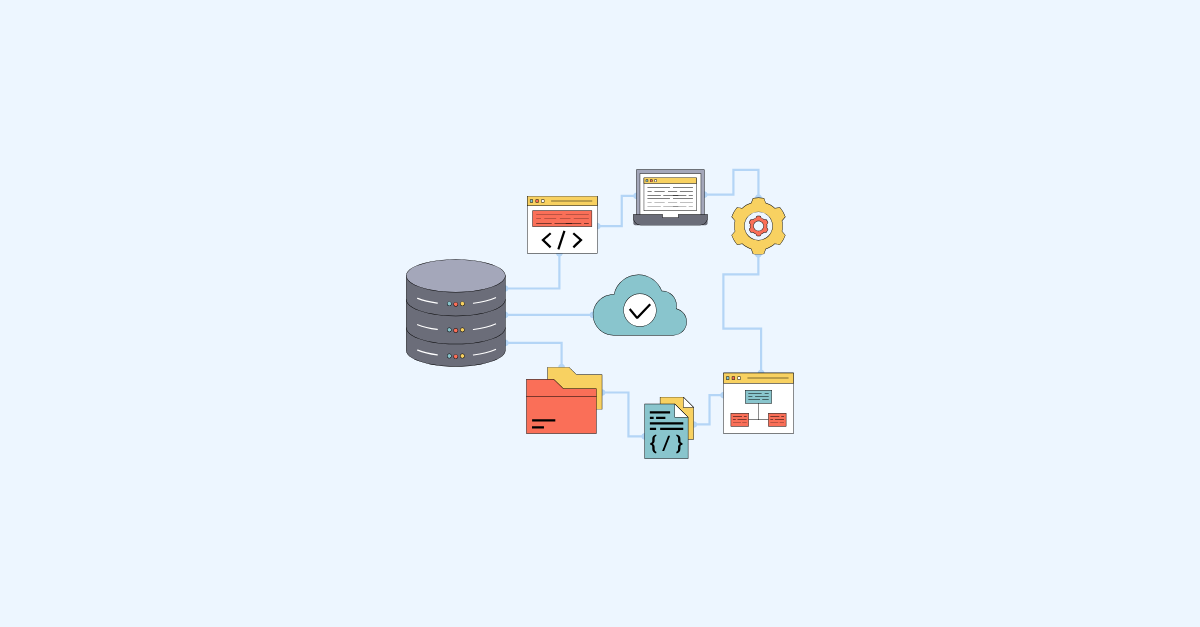


A complete dbt and Snowflake CI/CD workflow runs in eight steps: create a feature branch, automatically provision an isolated Snowflake clone, develop against production-like data, open a pull request, run automated tests on only what changed, review the code, merge and clean up the environment automatically, then deploy to production with a rollback path. The result is that broken data never reaches a dashboard, and every change is reviewed, tested, and reversible.
Part 1 made the case that your data stack deserves the same discipline as a software product. This is what that discipline looks like in practice. Every step below maps to tooling that exists today in Git, Snowflake, and dbt, and the whole thing is orchestrated so that engineers spend their time building models, not babysitting environments.
The dbt and Snowflake CI/CD workflow at a glance
Before diving into the details, here is the full flow:
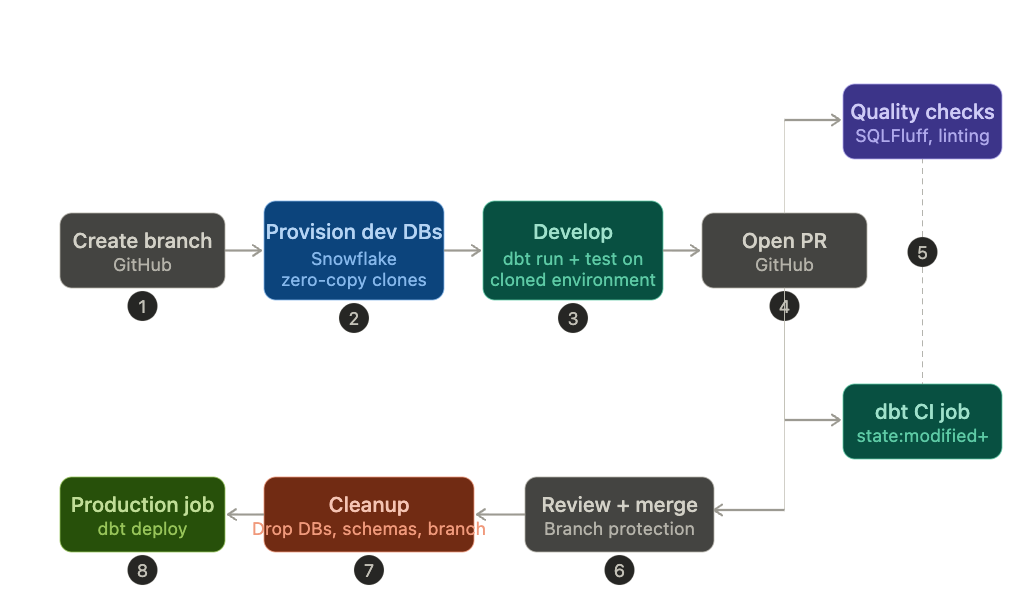
- Engineer creates a feature branch
- Development databases are provisioned automatically as Snowflake zero-copy clones
- Engineer develops and runs dbt against the cloned environment
- Engineer opens a pull request
- CI quality checks and a dbt CI job run automatically
- Reviewer approves, merge to main
- Development databases and CI schemas are dropped, and the branch is deleted
- A dbt production job runs the merged changes
Every step serves a purpose. Skip one, and the workflow has a gap. Automate all of them, and the team can move fast without moving recklessly.
How to build the dbt and Snowflake CI/CD workflow
Create a feature branch
Everything starts with a branch. Not an email. Not a Slack message. A branch.
The branch name matters more than most teams realise. It becomes the naming root for everything downstream -development databases, CI schemas, log entries. A convention like feature/add-customer-lifetime-value or fix/order-deduplication keeps things readable and traceable. A branch named test-3 does not. Ideally, the ticket you’re solving is mentioned in the branch name - automatically linking it back to the ticketing system.
Creating the branch is also the trigger. A GitHub Action executes on the create event and kicks off environment provisioning. No manual setup. No Snowflake console. The branch is the signal.
Development databases are provisioned automatically
This is where Snowflake's zero-copy cloning earns its keep.
When the branch is created, a GitHub Action clones the production databases, one for each layer. If the platform is structured into staging, warehouse, and reporting layers (a common and sensible pattern), the automation creates three clones:
Branch name: feature/data-123/add-customer-ltv
Development database created:
- DATA_123_STAGING
- DATA_123_DWH
- DATA_123_REPORTING
The naming is derived directly from the branch name -slashes and hyphens become underscores, everything is uppercased. Predictable naming means other automation (dbt targets, CI configuration) can derive the database names without storing state.
Why zero-copy cloning matters here. A clone is metadata-only at creation time. It costs nothing in storage until data diverges. Every engineer gets a full copy of production data: real schemas, real volumes, real edge cases -without the team paying for N copies of the warehouse. This is not a luxury. It is the difference between testing against representative data and testing against a five-row sample that misses every real-world problem.
Why one clone per layer. Cloning all layers ensures a developer can run a full pipeline end-to-end without cross-contaminating another developer's environment or accidentally reading from production mid-flow. Each developer is fully isolated. No more "who changed my staging table?" conversations.
Development and materialisation
With the dev databases in place, the engineer works normally. Write or modify dbt models, run dbt run and dbt test against the cloned environment, iterate.
The key detail: dbt's target configuration points at the cloned databases, not production. This is handled through environment variables or a profiles.yml that resolves the database name from the branch name. The engineer never needs to think about which database to target -it is derived automatically.
Commits to the feature branch during this phase do not trigger any automation. This is intentional. Development is messy -work-in-progress commits, half-finished models, debug queries. Triggering CI on every push to a feature branch creates noise without adding value. The signal that work is ready for validation is the pull request, not the commit.
Pull request and automated CI
Opening a pull request shifts ownership from "my problem" to "the team's problem". Two things happen automatically.
Quality checks run. These are the fast, cheap gates: linting (SQLFluff), manifest validation, documentation coverage. They catch formatting issues, naming violations, and missing descriptions before a human reviewer has to spend time on them.
A dbt CI job runs against an isolated CI/CD database. This is separate from the developer's cloned databases. The CI job builds only the modified models and their downstream dependencies -dbt's state:modified+ selector keeps CI fast by skipping everything that hasn't changed. It runs the associated tests. If anything fails, the pull request is blocked.
Why a separate CI/CD database? The developer's cloned environment reflects their local state, which might include manual changes, debug tables, or intermediate results. The CI database is clean. It starts from a known state, applies only the changes in the pull request, and validates them in isolation. This is the difference between "it works on my machine" and "it works".
CI database schemas are namespaced to the pull request, so multiple PRs can run CI concurrently without collisions.
Code review and branch protection
Automation handles correctness. Humans handle judgement.
The pull request now has green CI checks, which means the reviewer can focus on what actually needs a human eye: does this logic make sense? Is the naming clear? Are there downstream impacts the tests don't cover? Is this the right approach, or just a working one?
Branch protection rules on main enforce the process. A merge requires all CI checks to pass, at least one approval, and an up-to-date branch. That last requirement -the branch must be rebased or merged with main before merging -prevents a subtle class of bugs where two PRs are individually correct but break when combined.
Merge, cleanup, and deployment
The merge to main triggers the final phase. Three things happen, all automated.
Development databases are dropped. The cloned databases served their purpose. Keeping them around wastes metadata, clutters the Snowflake UI, and creates ambiguity about which environments are still active.
CI/CD schemas are dropped. Same principle. These were ephemeral validation environments, not long-lived resources.
The feature branch is deleted. The branch was a workspace, not an archive. The full history lives in the merged commits and the closed pull request.
All three cleanup actions are handled by a GitHub Action triggered on the pull_request: closed event. The engineer does not need to remember to clean up after themselves. The system does it.
Finally, a dbt production job runs the merged changes. This is the deployment. The models that were validated in CI are now materialised in the production databases. If the team has Time Travel retention configured (and they should), there is a recovery path if something unexpected happens post-deploy.
Why every step matters
It is tempting to look at this workflow and decide some steps are optional. They are not.
Without automated clone provisioning, developers either share environments and overwrite each other's work, or spend time manually creating databases before they can write a single line of SQL. Without a separate CI database, the team is trusting that every developer's local environment is clean -and it never is. Without branch protection, a passing CI check is advisory, not enforced. Someone will merge without it, and the one time they do will be the time it mattered. Without automated cleanup, stale clones and orphaned schemas accumulate until nobody knows which databases are active and which are abandoned.
The value of this workflow is not in any single step. It is in the fact that the entire lifecycle -from environment creation to cleanup -is automated, predictable, and auditable. Every change in production is traceable to a pull request. Every pull request was validated by CI. Every developer worked in isolation without manual setup.
That is what DevOps for data looks like in practice.