






Dreamforce 2026 is officially behind us, and you probably already know what that means. A bunch of new features, capabilities and the overall strategic direction for Tableau was unveiled at Salesforce's latest and greatest event of the year.
One major topic was Tableau Studio, which got introduced as the next step for Tableau Desktop in the agentic era.
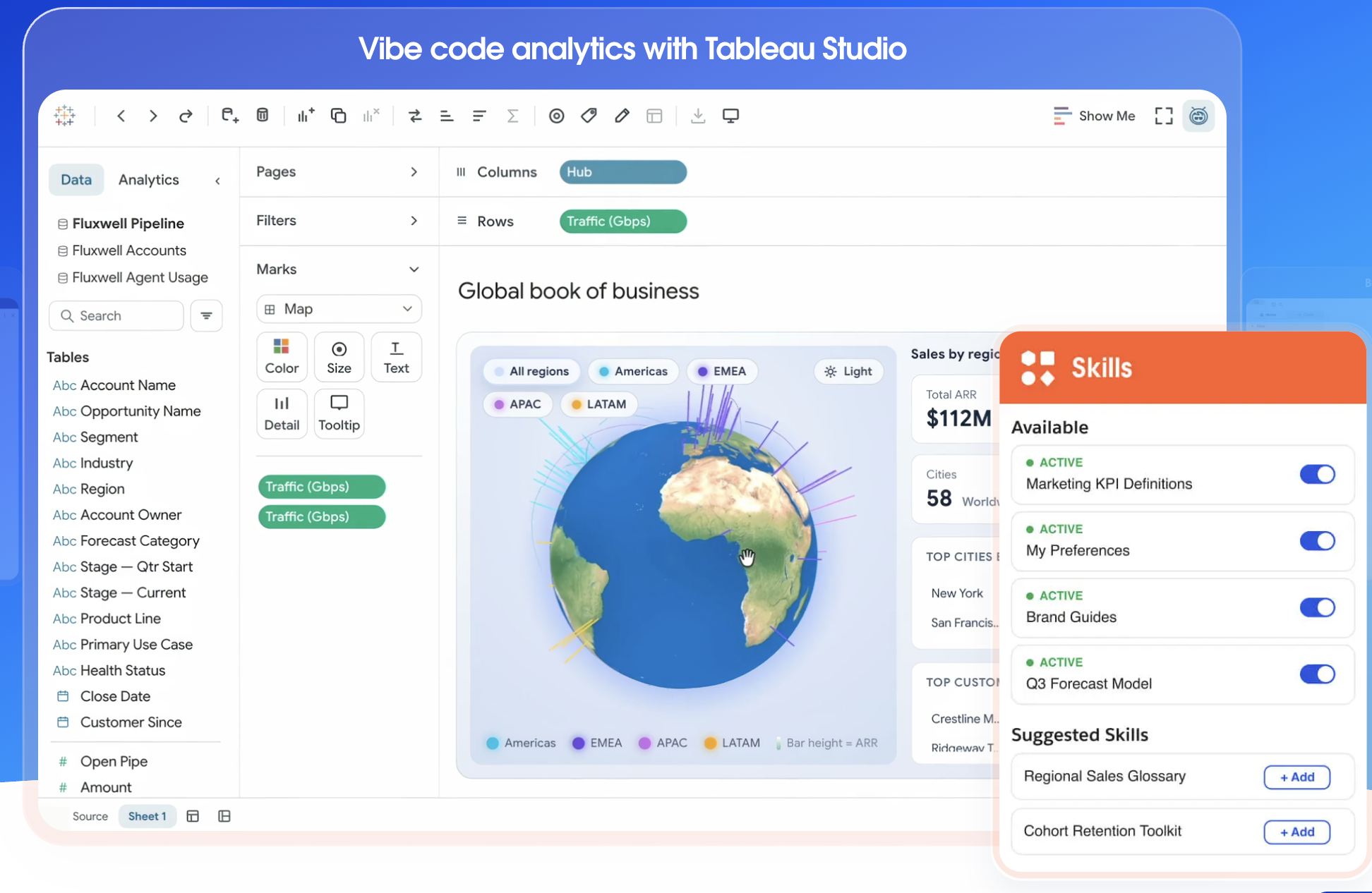
Tableau Studio is Tableau's new agentic workspace, where analysts and business teams build analytics alongside AI. You can switch between a conversational AI mode and hands-on drag-and-drop control inside a single live workspace.
Let's dig deeper.
What is Tableau Studio?
Tableau Studio is an AI-assisted authoring environment for building dashboards, analyses and lightweight data applications. You can describe what you want in natural language, or build it by hand with Tableau's familiar drag-and-drop tools. Both modes work on the same live content.
Tableau's own framing is simple: AI speed when you want it, classic BI control when you need it. The Tableau homepage at this point goes further, inviting users to simply vibe code analytics with Tableau Studio.
That positioning matters. Studio isn't pitched as a chatbot bolted onto a BI tool. It's pitched as a workspace where the agent and the analyst sit side by side, and you choose who drives depending on the task.
How Tableau Studio works
Based on what Tableau has shown so far, Studio combines three things.
Conversational mode: vibe coding for analytics
In conversational mode, you describe the outcome and the agent builds a first draft. TechTarget describes Studio as a place where analysts can vibe code data applications using natural language.
This is where Studio saves the most time. Exploration, first drafts and quick "what if" questions no longer start from a blank canvas.
Hands-on mode: drag-and-drop when precision matters
When a metric has to be exact, you take over. Tableau is explicit that Studio doesn't replace BI control but deliberately places it next to the agent.
For experienced Tableau users, this is the reassuring part. The skills you've built over years still apply. AI handles the scaffolding, you handle the judgement.
Grounded in Tableau Knowledge
Studio draws on Tableau Knowledge, the context layer that holds your business definitions. Tableau introduced this knowledge layer in May to keep company definitions in one place, and that the new app-building and proactive features rely on those definitions.
In practice, this is the difference between an AI that guesses what "revenue" means and one that uses your governed definition every time.
Tableau Studio vs Tableau Desktop vs Tableau Next
Studio is best understood as the evolution of Tableau Desktop. Tableau's Desktop product page currently describes Desktop as getting a glow up for the agentic era, with Studio listed as coming soon. The same page notes that Tableau Desktop is now free and runs on Mac and PC, including offline.
Tableau Next is a different product line. It's built on the Salesforce Platform and powered by Data Cloud, integrating analytics directly into customer and operational systems. For a deeper look, read our ultimate guide to Tableau Next.
Short version: Desktop is the tool you know. Studio is that tool with an agent built in. Next is the Salesforce-native platform for organisations going all-in on agentic analytics.
The launch in context: Data Apps, Proactive Intelligence and Tableau Knowledge
Studio didn't launch alone. It's one part of a wider Dreamforce 2026 release.
- Tableau Knowledge: the context layer that stores business logic, metrics and definitions for AI to draw on. Read full article here.
- Proactive Intelligence: designed to deliver insights inside users' workflows rather than making them visit a BI environment.
- Data Apps: extends Studio's app-building capabilities to third-party environments such as ChatGPT and Claude.
This builds on Tableau's earlier move to headless analytics. Tableau's open MCP server architecture already delivers governed insights into Slack, Salesforce, Microsoft Teams, Claude and ChatGPT.
The direction is clear. Tableau's role is expanding from end-user dashboards into headless, embedded and conversational analytics infrastructure. We covered what that shift means in agentic analytics: the future of autonomous BI.
Conclusion
Tableau Studio brings AI into the core of Tableau authoring without taking control away from analysts. You get conversational speed for exploration and drag-and-drop precision for the numbers that matter, all grounded in your own business definitions.
The organisations that benefit most won't be the ones that switch it on first. They'll be the ones with a trusted foundation ready when they do.